Your Digital Canvas Awaits
Transform your iPad into a creative coloring studio. Import beautiful coloring pages and bring them to life with vibrant colors, intuitive tools, and endless possibilities.
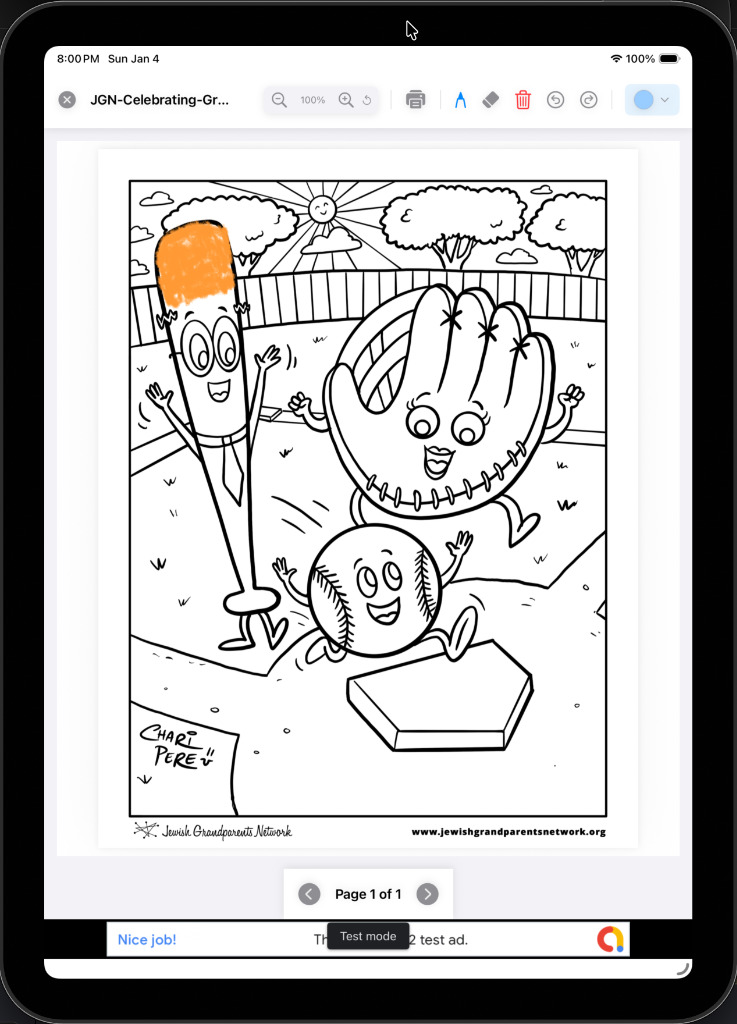
Transform your iPad into a creative coloring studio. Import beautiful coloring pages and bring them to life with vibrant colors, intuitive tools, and endless possibilities.
Everything you need to create stunning digital artwork on your iPad
Easily import digital PDF coloring book files from your library, along with images from your photos or files. Full support for PDF documents and all common image formats.
Choose from an extensive color library or create custom colors. Advanced color picker with HSL, RGB, and hex support.
Designed specifically for iPad with Apple Pencil support. Pressure-sensitive brushes for natural coloring experience.
Multiple brush types, sizes, and opacity controls. Undo/redo, layers, and precision tools for perfect results.
Save your artwork in high resolution. Export to Photos, share with friends, or print your masterpieces.
Clean, intuitive design that stays out of your way. Focus on your creativity, not complicated menus.
Explore the beautiful interface and powerful features
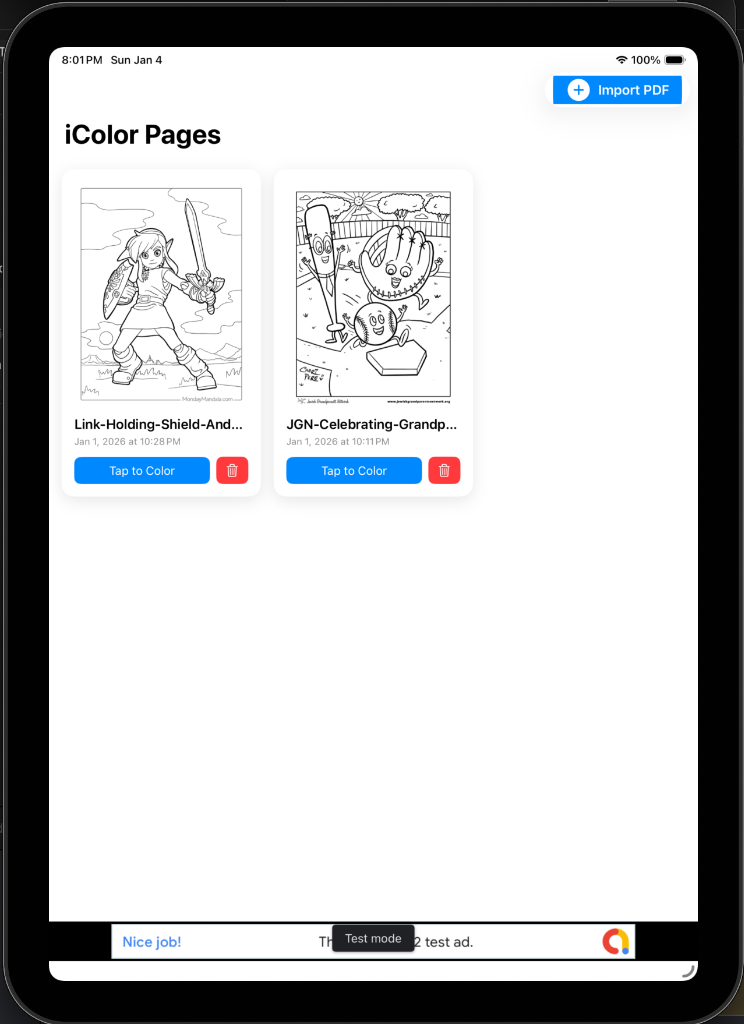
Import and Organize your digital coloring books.
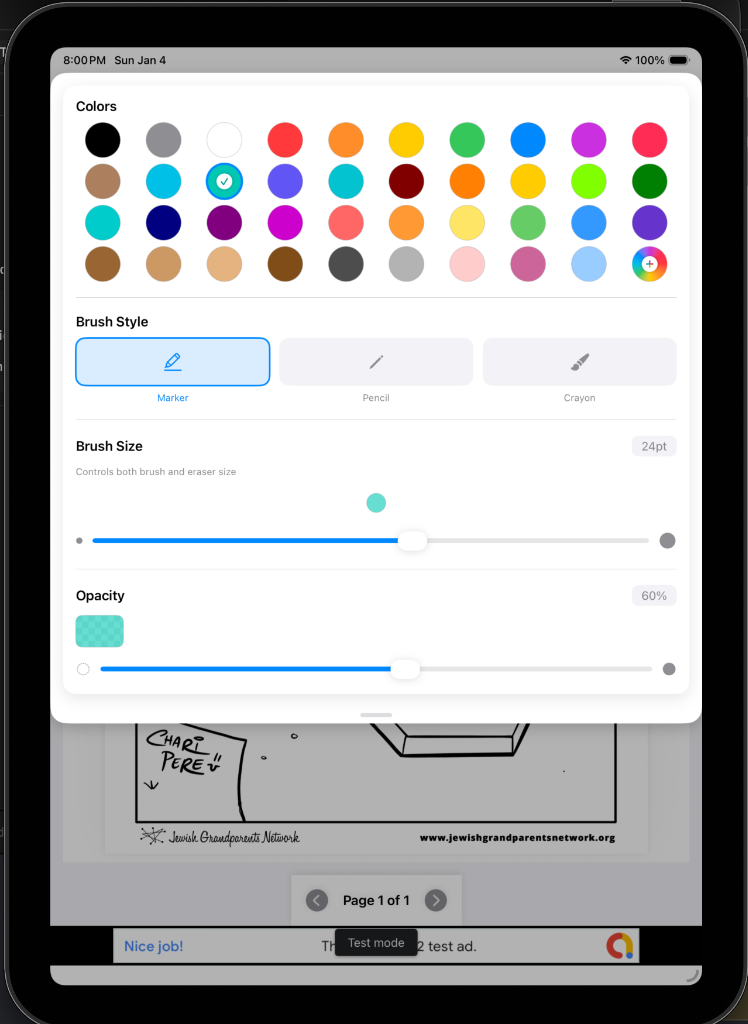
Select from multiple preset colors or create your own. Color with Markers, Pencils or Crayons in a variety of brush sizes.
The intuitive interface makes coloring a joy, whether using the Apple Pencil or your fingers. Easily zoom in and out to stay within the lines.
Download iColor Pages today and start bringing your coloring books to life. Available now on the App Store for Free.
